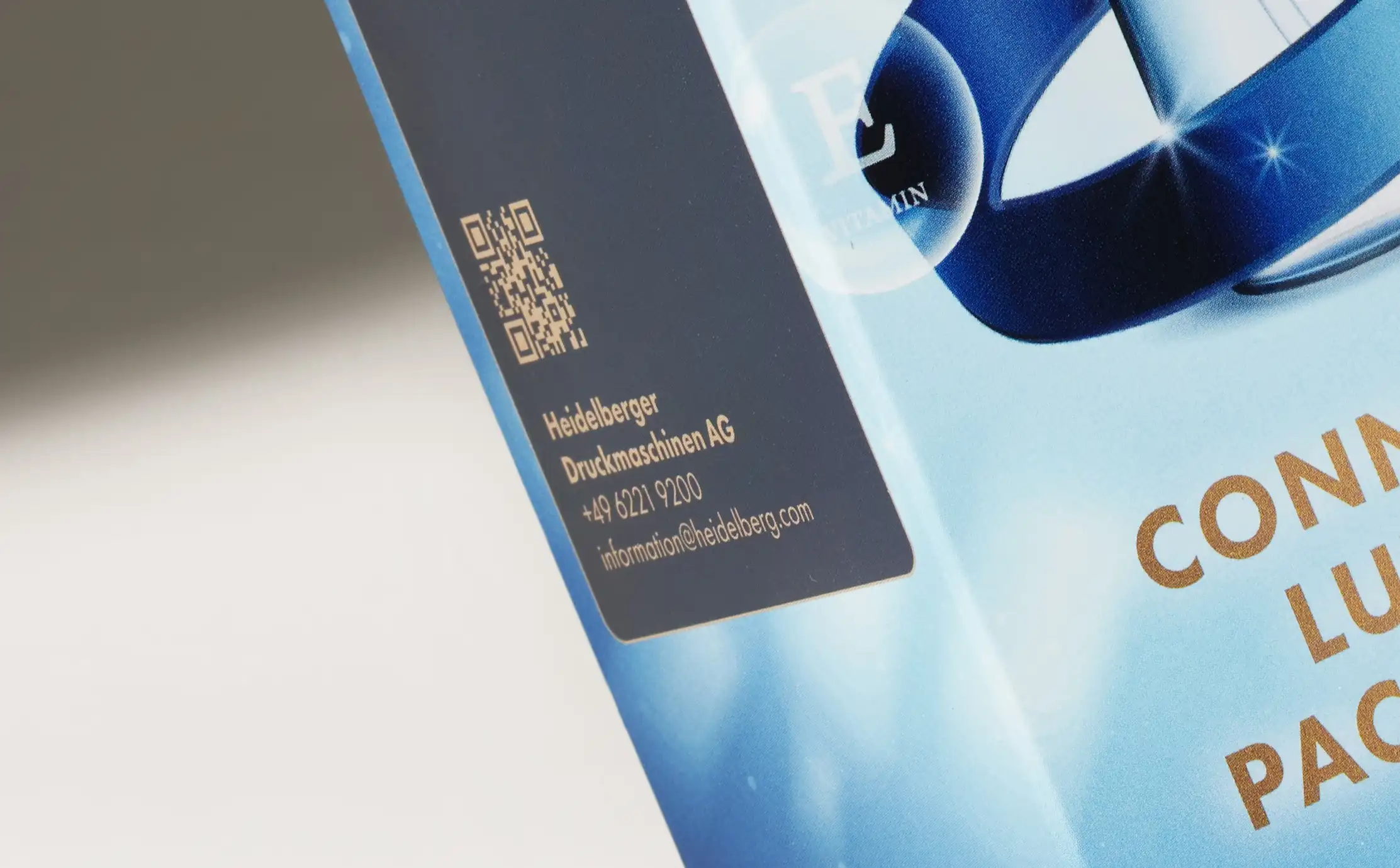

The code was approved on a proof. The artwork went to press. The cartons shipped. And now it scans on the second or third try, or only in good light, or not at all.
Nobody made an obvious mistake. The code was generated correctly, the artwork was signed off, the print is clean. Something between those steps went wrong, and it is almost always one of a short list of physical things.
There is plenty written about what a QR code on packaging can do. This is about whether it will work.
Why brands put QR codes on packaging
Worth settling early, because the purpose decides how much data the code carries, and that decides how small it can be. Five uses come up repeatedly, and each has a size consequence.
1. Product information the panel cannot hold. Full ingredient lists, sourcing detail, usage instructions. A skincare carton with a long INCI list, a supplement with a full nutrition panel, a spirits gift box carrying provenance. This is the most common use and the most forgiving on size, because a short redirect can front a long page.
2. Regulatory text that exceeds the space available. Multi-market cartons where each territory requires different wording, and the alternative is a larger carton or a leaflet. Common in food, nutraceuticals and personal care.
3. Authentication. Verifying a unit is genuine, usually with serialization behind it, which means a unique code per unit rather than one artwork for the run. That is a different production conversation, covered in anti-counterfeiting packaging.
4. Reordering and registration. Sending a customer into a repurchase flow, a warranty registration, or a subscription. Short destination, so the code can be small.
5. Setup and instruction content. Where a printed manual would be longer than the box, most obviously in electronics and devices. Our technology and electronics work is where this comes up most.
The pattern worth noticing: the two uses that need the most data, full information and regulatory text, are the ones brands most often put on the smallest cartons. That is the size squeeze described above, and it is why shortening the destination address does more for scannability than enlarging the code.
The strategy side of this, and how codes fit into a wider connected-packaging approach, is covered in connected packaging and the packaging technology guide. This article is about making the code work once you have decided.
When a QR code earns its place
A code is an option a brand specifies, not a standard feature. Plenty of folding cartons do not need one, and adding one because it is available tends to produce a code that goes nowhere useful.
Three conditions make it worth the space:
The information genuinely exceeds the panel. If the content would fit on the carton, print it. A code is for what cannot fit, not for what somebody would rather not lay out.
Somebody owns the destination. A code outlives the campaign that created it. Cartons print months ahead and sit on shelves for longer, so the question is who maintains that page in two years. An expired destination is worse than no code, because the customer already committed to scanning.
There is a reason to scan. Curiosity is not one. Registration, provenance, a full ingredient list, setup instructions: these give the customer something they wanted.
If a program fails all three, the honest answer is to leave the panel clean.
Static vs dynamic QR codes, and why size follows
This is the decision most brands make by accident, and it has a print consequence.
A static code carries the destination inside the code itself. The address cannot change once it is printed, and a long address needs more modules, which means a physically larger code to stay readable.
A dynamic code carries a short redirect instead. The destination behind it can be repointed later without touching the artwork, and scans can be counted.
For packaging, dynamic usually wins on two grounds that have nothing to do with marketing. The redirect is short, so the code needs fewer modules and can be physically smaller, which directly relieves the size squeeze described above. And a carton printed this quarter may still be on shelf in two years, by which time the original landing page may not exist. Repointing a destination costs nothing. Reprinting a carton does not.
The trade-off is that a dynamic code depends on the redirect service staying available, which makes it a procurement question rather than a design one: who owns that account, and what happens if it lapses.
The seven things that stop a code scanning
Two of these need unpacking, because they cause most of the real failures.
QR code quiet zone
Quiet zone is the empty margin a code needs on all four sides. A scanner finds a code by locating its boundary, so artwork crowding right up to the edge removes the thing the camera is looking for. It is easy to lose in layout, because a tight margin looks tidier and the code still scans on a large proof.
QR code minimum size on packaging
Minimum size has a published floor. Scantrust’s brand guide recommends no smaller than one centimeter square, which is a sensible baseline for close-range scanning. The real limit depends on how much data the code carries: a long URL needs more modules than a short redirect, so shortening the destination address is often the simplest way to make a small code work.
The point tying the list together: six of these seven are decided with the carton manufacturer, not in the platform that generated the code. They are die-line and finishing decisions.
The coating problem nobody anticipates
This one deserves its own section because it is both the most avoidable and the most commonly made.
Finishing is usually specified after artwork is approved, often by a different person, and often as a panel-level or sheet-level instruction: gloss across the front, spot UV on the logo and the product shot. If a code happens to sit inside that area, it now has a glossy layer over it.
Gloss creates specular reflection, meaning the surface bounces light straight back rather than scattering it. A phone reading a code needs to distinguish dark modules from light gaps, and glare flattens that difference. The proof scanned because the proof was uncoated.
There are three straightforward fixes, all easy at die-line stage and none available after a run:
- Knock the coating out over the code, leaving it uncoated
- Use a matte or aqueous coating in that area rather than a gloss one
- Move the code to a panel that is not being coated
The same logic applies to foil and metallic substrates, more severely. A code printed on or beside a reflective surface has the glare problem permanently, not just under a light.
Where the code goes, and why structure decides it
A folding carton is a flat printed sheet that becomes a three-dimensional object, and that transformation is where placement problems come from.
Panels that sit side by side in artwork can end up perpendicular on the finished carton. A code positioned near a fold can end up bent across the crease, which distorts the module grid enough to break it. A code near a glue flap can end up partly underneath one.
None of that is visible in a flat layout, which is why placement is a structural design conversation rather than an artwork one. The die line shows where the folds and flaps will be, and putting the code on the die line rather than on the artwork is a five-minute check that prevents a reprint.
How to check before you commit
The only reliable test is a physical one, on the real specification.
Print the code at final size, on the actual substrate, with the actual finishing pass over it. Then scan it the way a customer would: an ordinary phone, held at a natural distance, in ordinary room light. Not a dedicated scanner app, not under a desk lamp, not at 200% size on a monitor.
A physical mock-up is the practical way to do this, and our design studio produces them typically within a week. That is early enough to move a code, change a coating, or shorten a URL. After a run has printed, none of those are options.
Check the code before it prints, not after
A QR code is a printed object before it is a marketing channel. Quiet zone, size, contrast, coating, placement and substrate decide whether it works, and every one of them is settled at die line and finishing rather than in the tool that generated the code. That is why a code approved on screen still fails on shelf.
The check itself is simple: print it at final size, on the real stock, with the real coating over it, and scan it with an ordinary phone in ordinary light. What is hard is doing that early enough to act on the answer.
That is what a mock-up is for, and it is where a carton manufacturer earns its place in the conversation. Our design studio produces physical mock-ups typically within a week, printed on your substrate and carrying the finishing you have specified, so the code either scans or it does not while a die line can still be changed. We will tell you which, and what to move if the answer is no.
Send us the die line before it goes to press.
Frequently Asked Questions
How do you use QR codes on packaging?
In production terms, a code on a carton involves four decisions and they are made in this order: what the code should do, how large it can be on the panel available, where it sits relative to creases and glue flaps, and what finishing passes over it. The content decision is usually made by marketing and the other three are made with the carton manufacturer at die-line and finishing stage. Codes fail when the first decision is treated as the whole job and the other three are inherited rather than chosen.
What types of products have QR codes on their packaging?
It is most established in categories where the carton has more to communicate than fits on it. Supplements and nutraceuticals use codes for ingredient sourcing and dosing detail. Cosmetics and personal care use them for full ingredient lists and how-to content. Spirits and premium food use them for provenance. Consumer electronics use them for setup instructions, which replaces a printed insert. Pharmaceutical and medical-adjacent packaging uses them for regulatory information and authentication. The common factor is a small printed surface and a large amount of information.
What size should a QR code be on packaging?
Scantrust’s brand guide recommends a minimum of one centimeter by one centimeter, which is a reasonable floor for a code scanned at close range. The honest answer is that it depends on scanning distance, the density of the data encoded, and the substrate. A code holding a long URL has more modules to resolve than one holding a short redirect, so shortening the destination address is often the simplest way to make a small code work. On uncoated stock, allow more size than you would on coated, because ink spread closes the gaps between modules.
Why is the QR code on my packaging not scanning?
Work through seven causes in order. Is the quiet zone, the clear margin around the code, intact or has artwork encroached on it? Is the code below about one centimeter square? Is there genuine tonal contrast between the code and its background, rather than two similar brand colors? Is a gloss or spot UV coating running over it and creating glare? Is there foil or a metallic substrate under or beside it? Does the code cross a crease or a glue flap? And is it printed on uncoated stock where ink has spread? Quiet zone and coating account for most real-world failures.
Can you print a QR code over foil or under a gloss coating?
Technically yes, and in practice it often stops the code working. Both create specular reflection, meaning the surface bounces light directly back at the camera, and a phone reading a code needs to distinguish dark modules from light gaps. Glare flattens that difference. If a design calls for a coating across the whole panel, the usual solutions are to knock the coating out over the code, use a matte or aqueous finish rather than a gloss one in that area, or move the code to an uncoated panel. All three are straightforward at die-line stage and impossible once a run has printed.


.png)